Find participants
If you are monitoring a large meeting, here are a few hints to how you can find an individual participant:
-
Pin participants
 icon against each participant allows you to pin selected participant at the top of the list.
Pinned participants stay at the top until you unpin them, or until you sign out.
- Filter to see participants who are made important, who are speaking, or who have a specific connection status.

Note: If pane placement is on, then the Important filter is replaced with a Placed in pane filter.
-
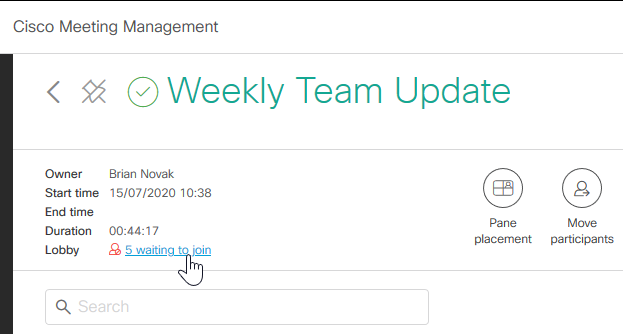
Check the Lobby in the top left corner if you are looking for a participant who has a guest profile. Guests who have not yet been let into the meeting will appear here.
-
Sort by column, allows you to sort participants in ascending or descending order based on a selected column.
-
Sort by multiple columns, allows you to sort participants in ascending or descending order based on multiple column.
Sort by one column, then hold shift down to refine the sorting by clicking another column. For example, you can click the Join time column, then hold shift down and click the Participant name column. Then all participants will be sorted by join time, and all participants who joined a the same time will be sorted alphabetically.
In the screenshot below, you can see that participants are sorted by join time, and then further sorted by name, A → Z.
The participants stay sorted as selected until you leave this view. By default, participants are sorted primarily by connection status (connected participants at the top), secondarily by the time they joined the meeting (participants who joined last at the top).
-
Search allows you to search for participants in a meeting.
Note: Only participants who have been connected to the meeting are displayed. You will not see space members or invited participants who did not join.
If you are looking for a specific participant but do not know which meeting the person joined, you can search in all meetings listed on the Meetings page.