Overview - view notifications and license status
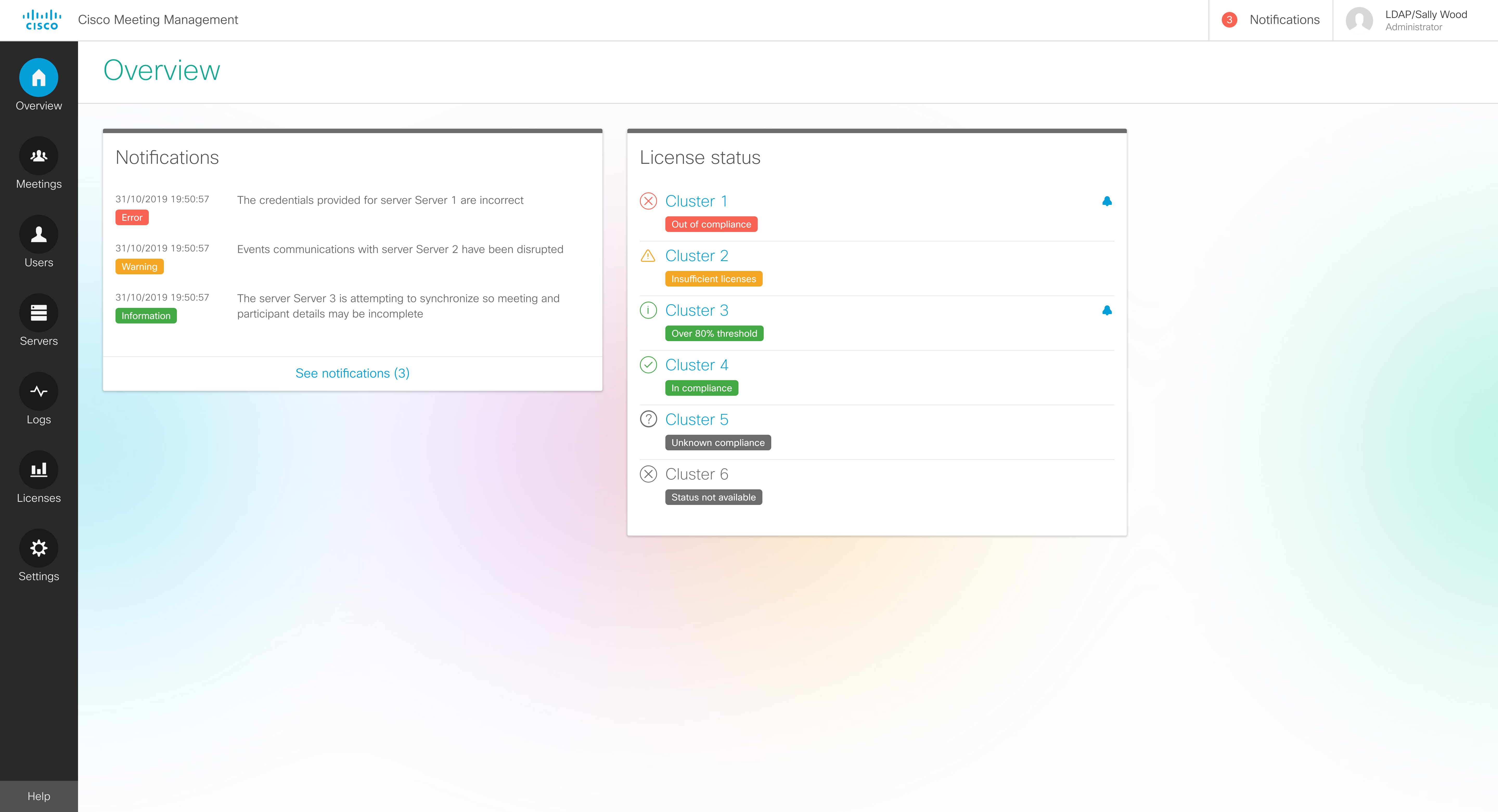
On the Overview page you can see system notifications and license status.
Notifications are always visible on the Overview page, and a counter in the top bar tells you if there are any current notifications.
Notifications have 3 levels of severity:
-
Error: Critical issue
-
Warning: Issue that you must act on to keep Meeting Management running
-
Information: Useful information or minor issue
Note: The number in the top bar is updated every 30 seconds, so it may temporarily differ from the number seen on the Overview page.
You can also see status for license utilization on connected Cisco Meeting Server clusters.
There are 6 different status levels:
-
Out of compliance: You have been out of compliance with your license agreement for more than 15 days.
-
Insufficient licenses: You have temporarily used more licenses than you have installed, and you are out of compliance with your license agreement.
- Over 80% threshold: You are still in compliance with your license agreement, but you have used more than 80% of the installed licenses.
- In compliance: You have used 80% or less of the installed licenses.
-
Unknown compliance: License status for clusters that have Cisco Meeting Server Capacity Units installed. Meeting Management cannot track Meeting Server Capacity Units.
- Status not available: License status is not supported for this cluster. You will see this information for clusters running Meeting Server version 2.5 or lower, as license status is only supported for Meeting Server version 2.6 or later.
The blue bell icon is displayed for a cluster if a new status update hasn't been marked as acknowledged by an administrator.
To see more details, click on a cluster name. This will open the Licenses page. This page shows further information about licenses and also displays any event log messages related to licensing that requires immediate action.